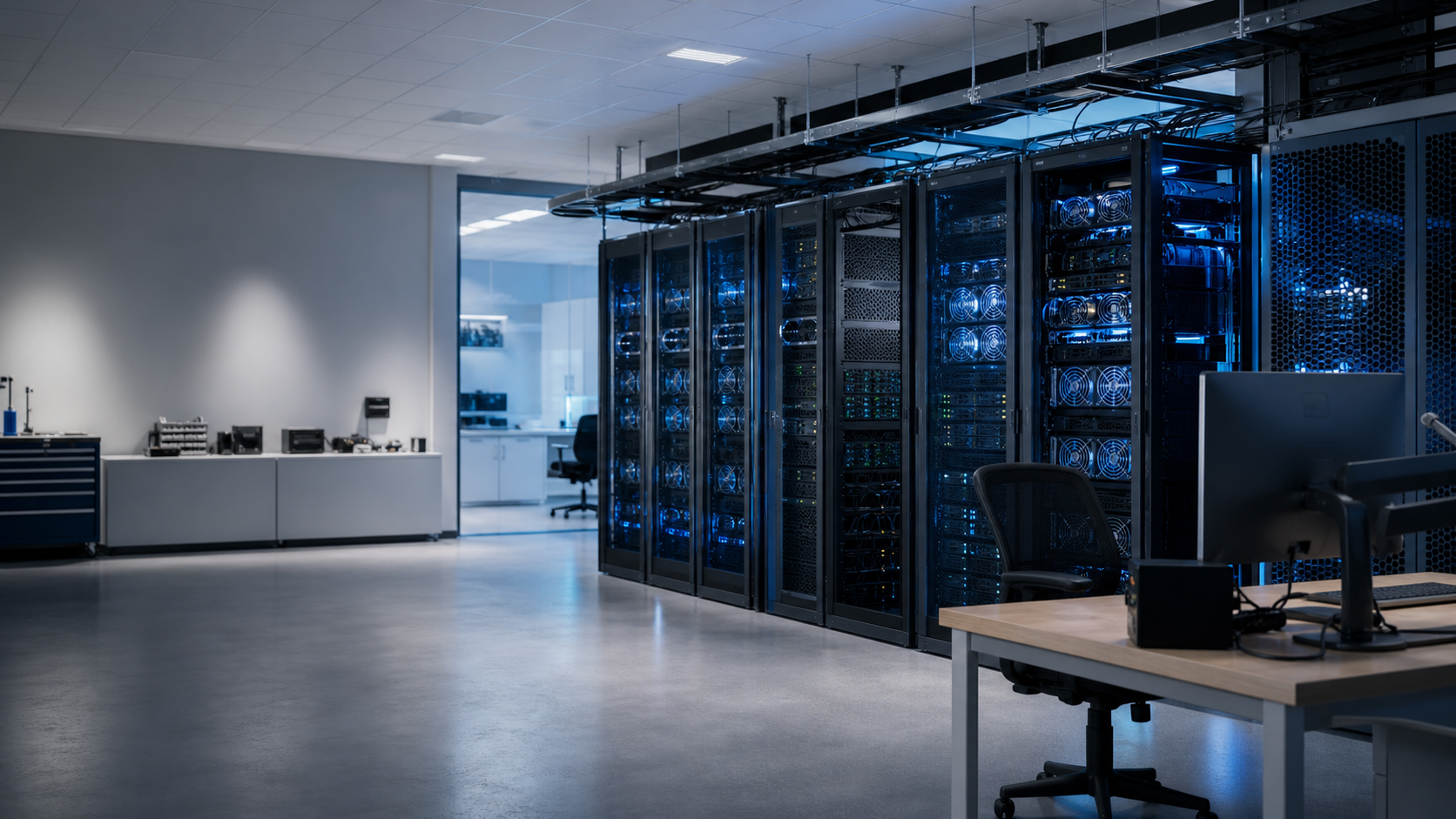
For academic research teams

SciFlow

Infrastructure for AI-driven science.

Launch reproducible GPU environments, scale training, compare experiment results, and work with an agent that understands your infrastructure.

Built for labs running private or on-premises GPU clusters.

Try the live demo
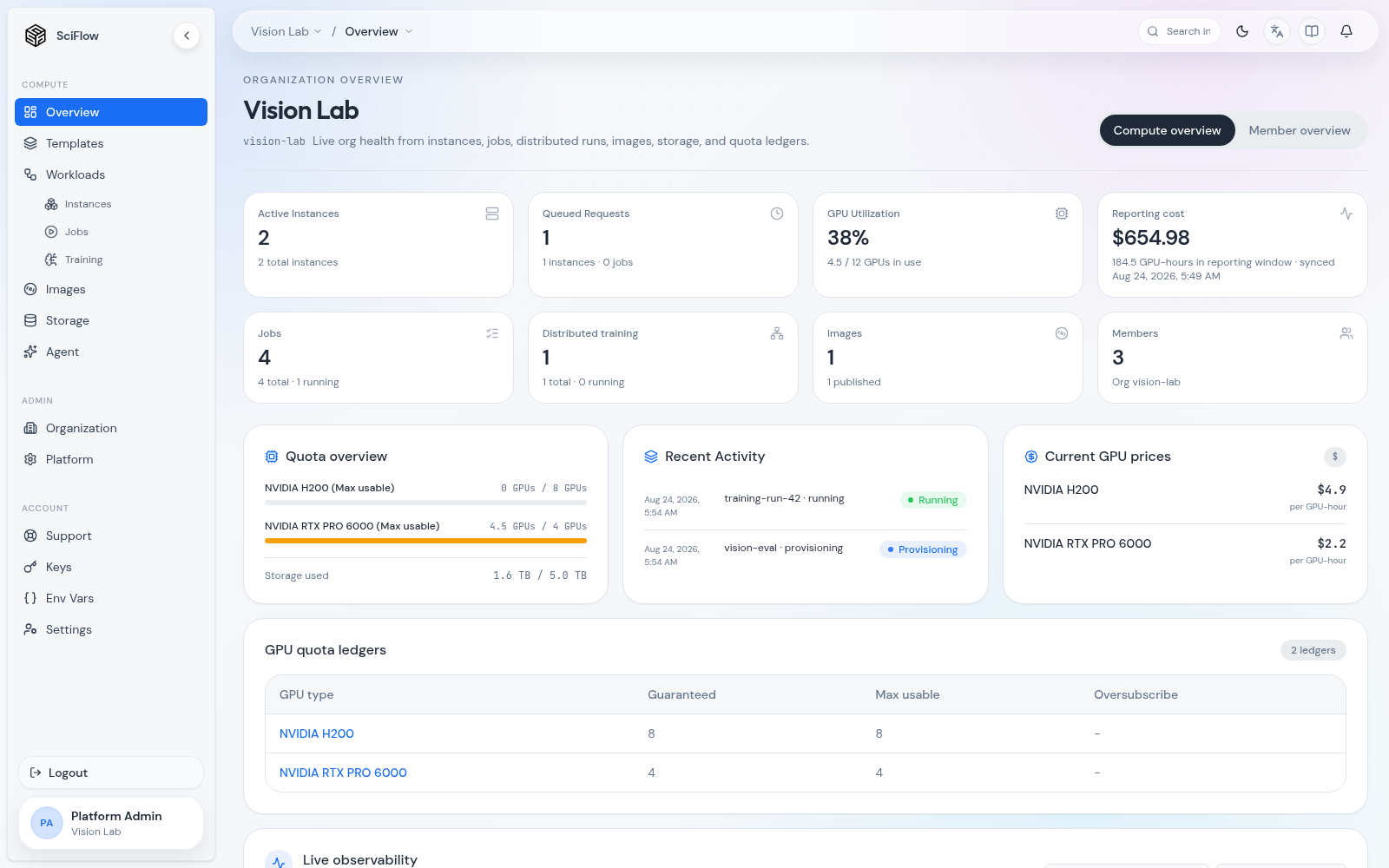
SciFlow organization overview showing instances, queued requests, jobs, distributed training, GPU utilization, cost, quota, and recent activity
See which experiments are active, what is waiting for capacity, and how the lab’s GPU allocation is being used.
The research loop

Spend GPU time on experiments—not infrastructure.

Keep environments, training runs, experiment results, and agent context connected from exploration to evidence.

Reproducible work

Return to the experiment, not the setup.

Launch a maintained GPU environment with project storage and access already wired. When the environment works, preserve it as an image so collaborators and future runs can begin from the same state.

The result keeps its context.

Code, dependencies, data mounts, and compute history remain connected to the work instead of being scattered across setup notes and messages.
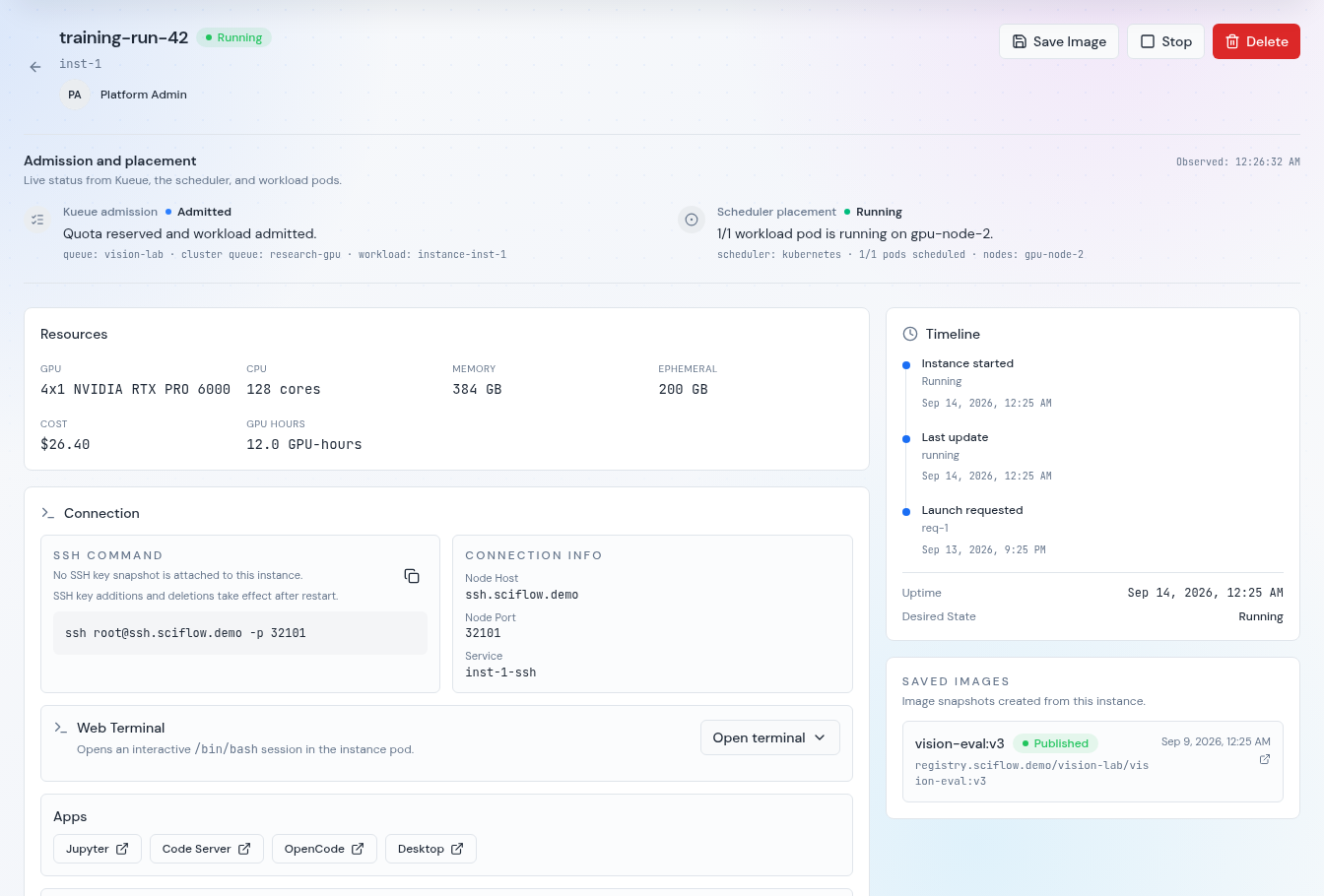
SciFlow running instance detail showing admission, resources, SSH and terminal access, JupyterLab, Code Server, OpenCode, and Desktop apps, timeline, and a saved image
The instance detail keeps live status, compute context, SSH, terminal and app entry points, and reusable snapshots attached to the experiment.

Scalable experiments

Scale the run without becoming a cluster operator.

Describe the workload, choose protected or reclaimable capacity, and follow every rank from admission through completion. SciFlow turns shared GPUs into a predictable research instrument.

Waiting is explainable.

Researchers can see why a run is waiting, what resources it holds, and where it failed without chasing the platform team or reading Kubernetes events.

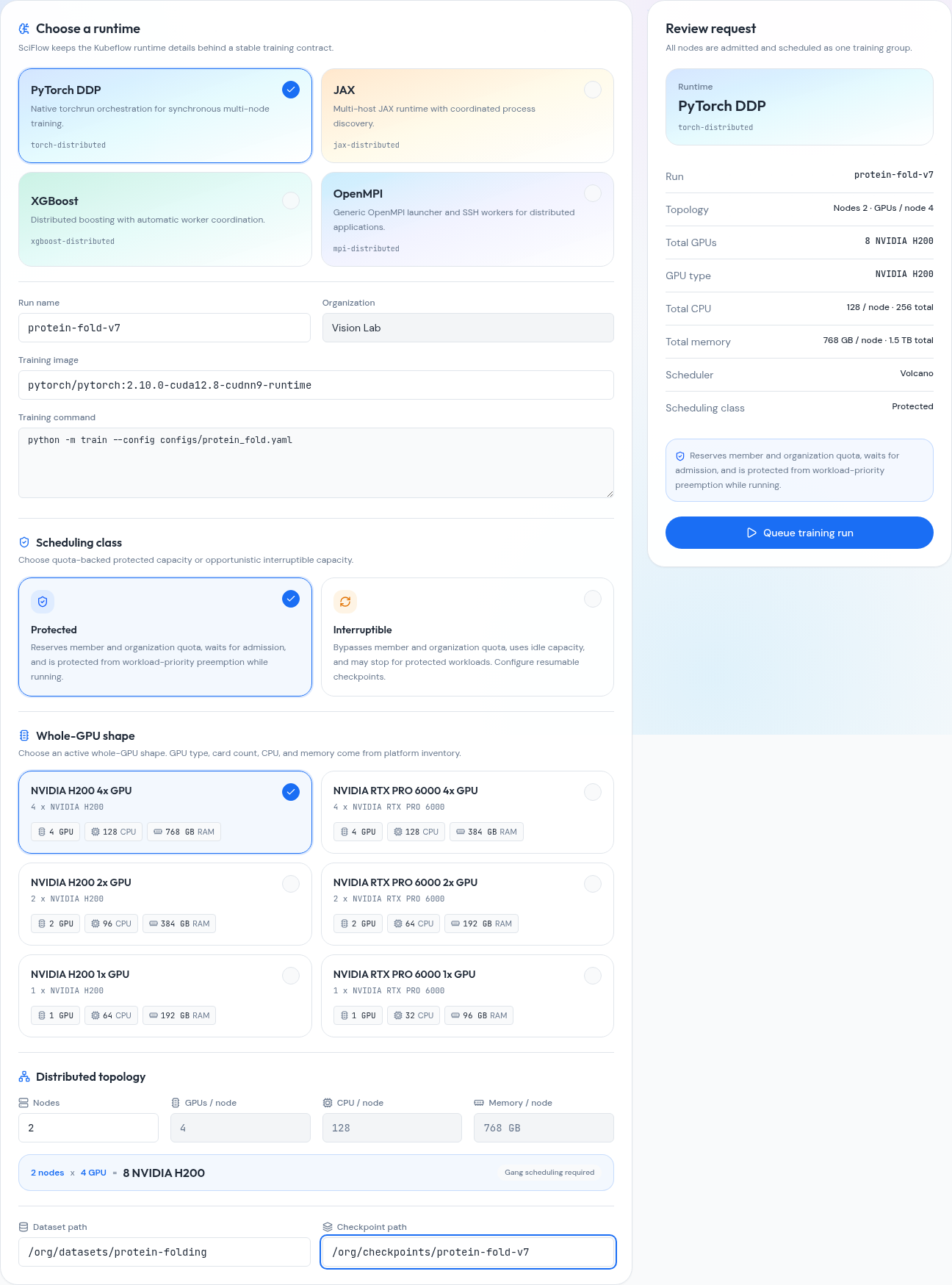
SciFlow distributed training launch builder showing runtime, scheduling class, GPU shape, topology, and request review
The launch builder turns runtime, protected or interruptible capacity, whole-GPU shape, and multi-node topology into one reviewable request.

Experiment tracking

Compare results. Trace them back to the run.

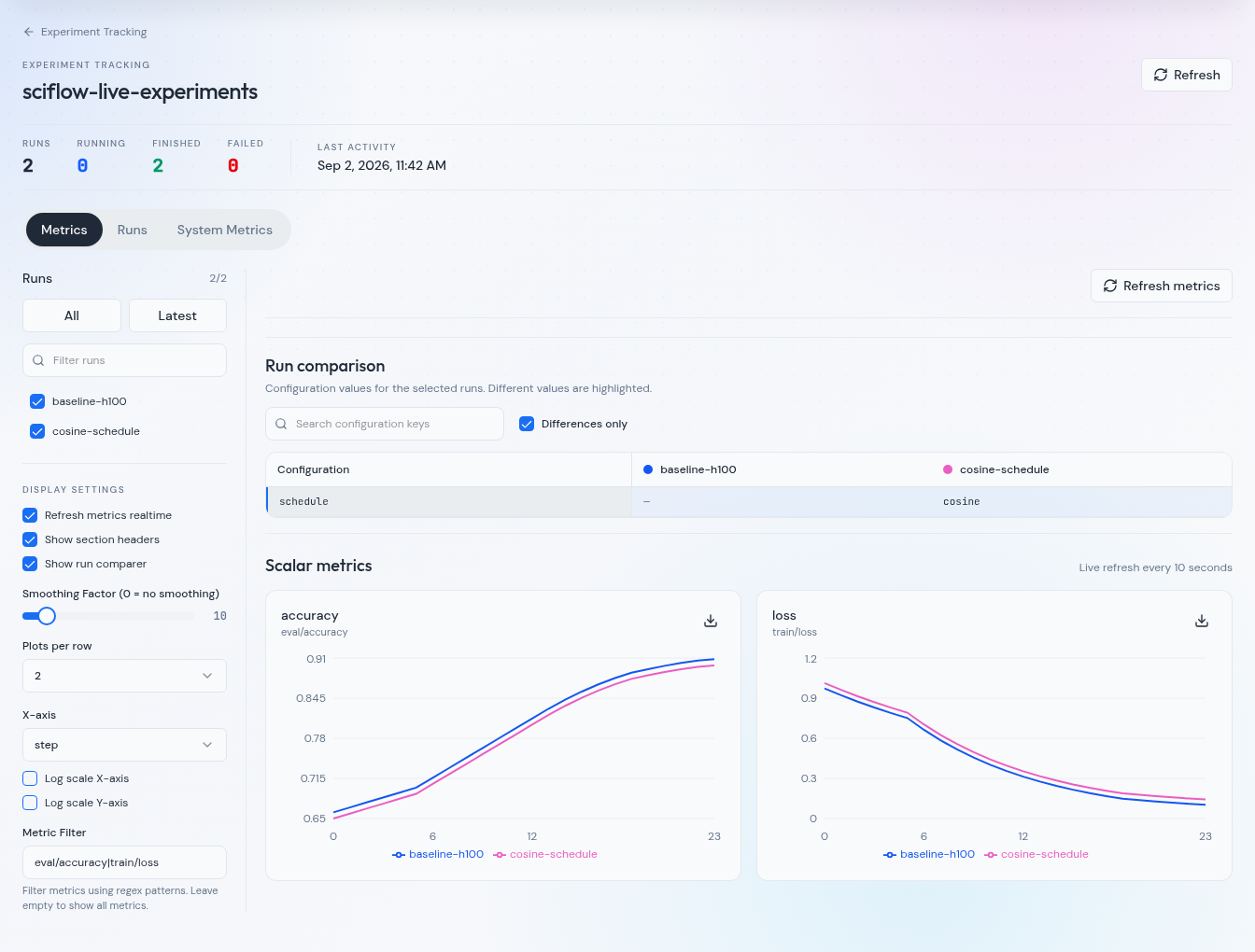
Track loss, accuracy, and other experiment metrics alongside run configuration. Compare runs in SciFlow and follow each result back to the instance, job, or distributed training run that produced it.

Start logging without the setup.

Use supported wandb logging calls or the Hugging Face integration in SciFlow workloads. No tracking package to install and no API key to manage.

SciFlow experiment tracking workspace comparing two runs with training loss and evaluation accuracy charts
Compare experiment metrics, inspect configuration differences, and open the source workload from the same workspace. Shown with demo data.

Research agent

Ask for an outcome. Keep control of the action.

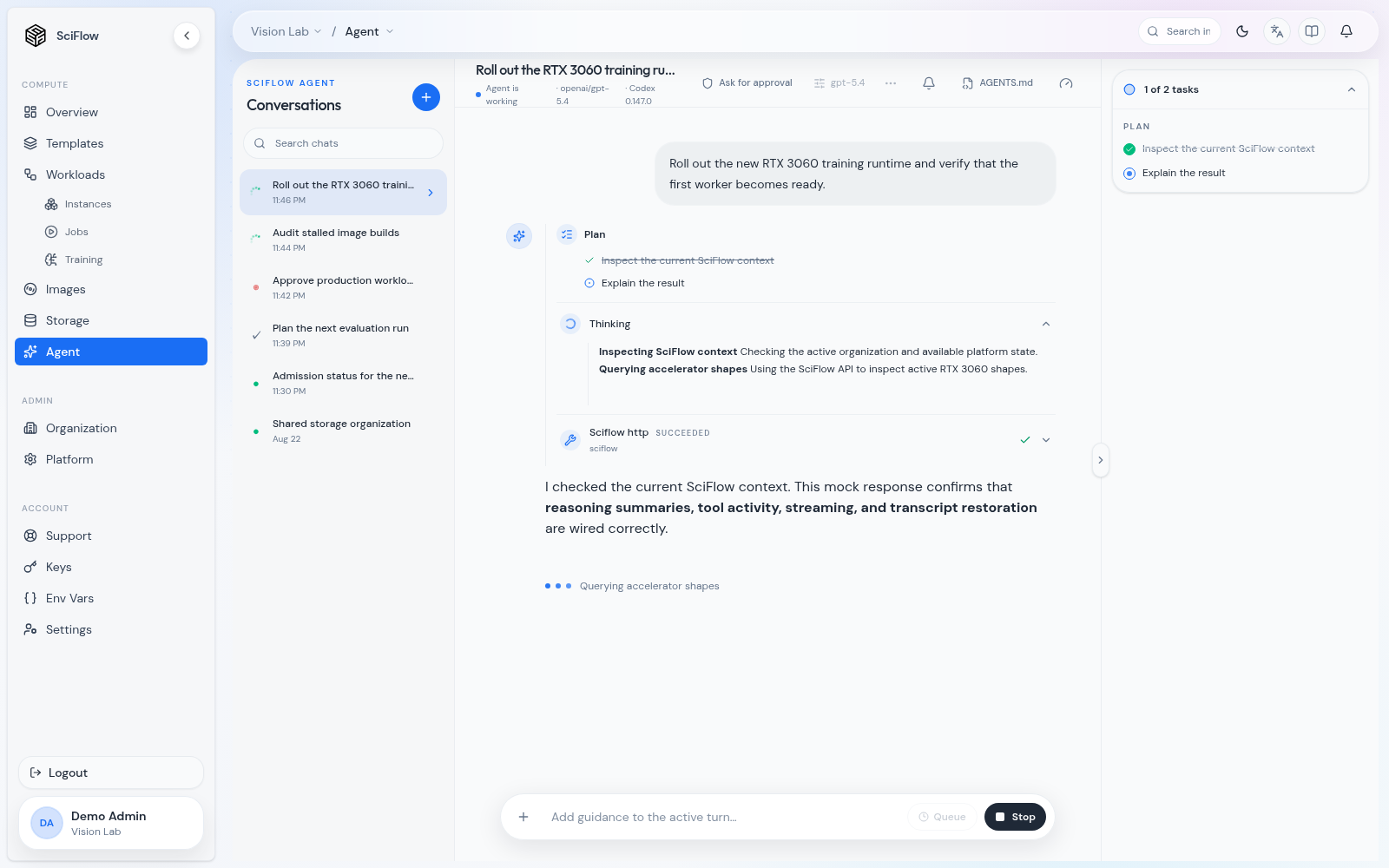
The built-in agent sees your workspace and the live SciFlow API. It can inspect runs, reason over project context, create visual artifacts, and execute infrastructure actions within your permissions.

Assistance stays inside policy.

API access follows your user and organization permissions. Mutations follow the selected approval policy: pause for review or run automatically. Platform authorization applies in either mode.

SciFlow agent session planning and executing an approved GPU runtime rollout
The agent works from live workspace and platform context, while the researcher can review its plan, reasoning, tools, and actions.
Research operations

Know what happened. Know what your lab can run next.

SciFlow connects experiment signals with the policies that govern shared compute, so researchers can resolve problems independently and plan work around real capacity.

01Observe the run

Follow utilization, rank health, logs, events, scheduling state, and cost without leaving the experiment.

02Explain the wait

See whether work is running, provisioning, or queued—and which resource or policy is shaping the decision.

03Plan the next launch

Review available quota and launch impact before committing scarce GPU capacity.

Workload observability

Diagnose the run while its context is still fresh.

Workload telemetry, rank state, filtered logs, scheduling history, Kubernetes events, and usage cost stay attached to the same research object—from a quick workspace check to a multi-node training run.

What this changes for researchers

  • Spot idle GPUs, memory pressure, or an unhealthy rank before a long allocation is wasted.
  • Move from a failed result to the relevant logs and platform events without reconstructing the run in another tool.
  • Keep an operational timeline beside the experiment, making handoff and retrospective analysis easier.
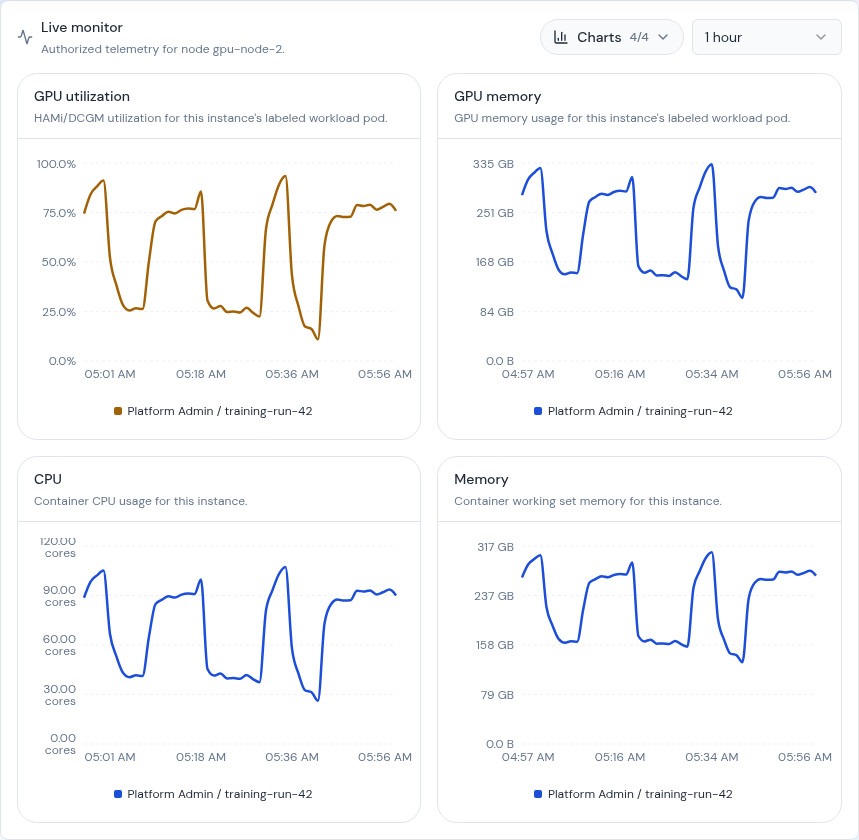
SciFlow instance live monitor showing GPU utilization, GPU memory, CPU, and system memory charts for a running research workspace
Instance-scoped telemetry keeps GPU utilization, GPU memory, CPU, and system memory behavior attached to the named workspace and selectable time window.
Shared academic infrastructure

Every lab gets freedom without losing the cluster.

Researchers run their own work, lab administrators shape access and budgets, and platform teams retain control of policy and GPU supply.

Platform admin
Owns tenants, integrations, GPU inventory, platform settings, pricing, and operational logs.
Org admin
Manages members, invitations, org GPU quotas, member limits, and org storage policy.
Org member
Launches templates, runs instances and jobs, mounts storage, saves images, and tracks usage.
SciFlow organizational hierarchyPlatform admin delegates organization control to org admins, who manage access for org members.Alex ChenPlatform adminBioinfo LabDr Chan / Org adminEmbodied AI LabDr Lee / Org adminMayaOrg memberLeoOrg memberNinaOrg memberOwenOrg member
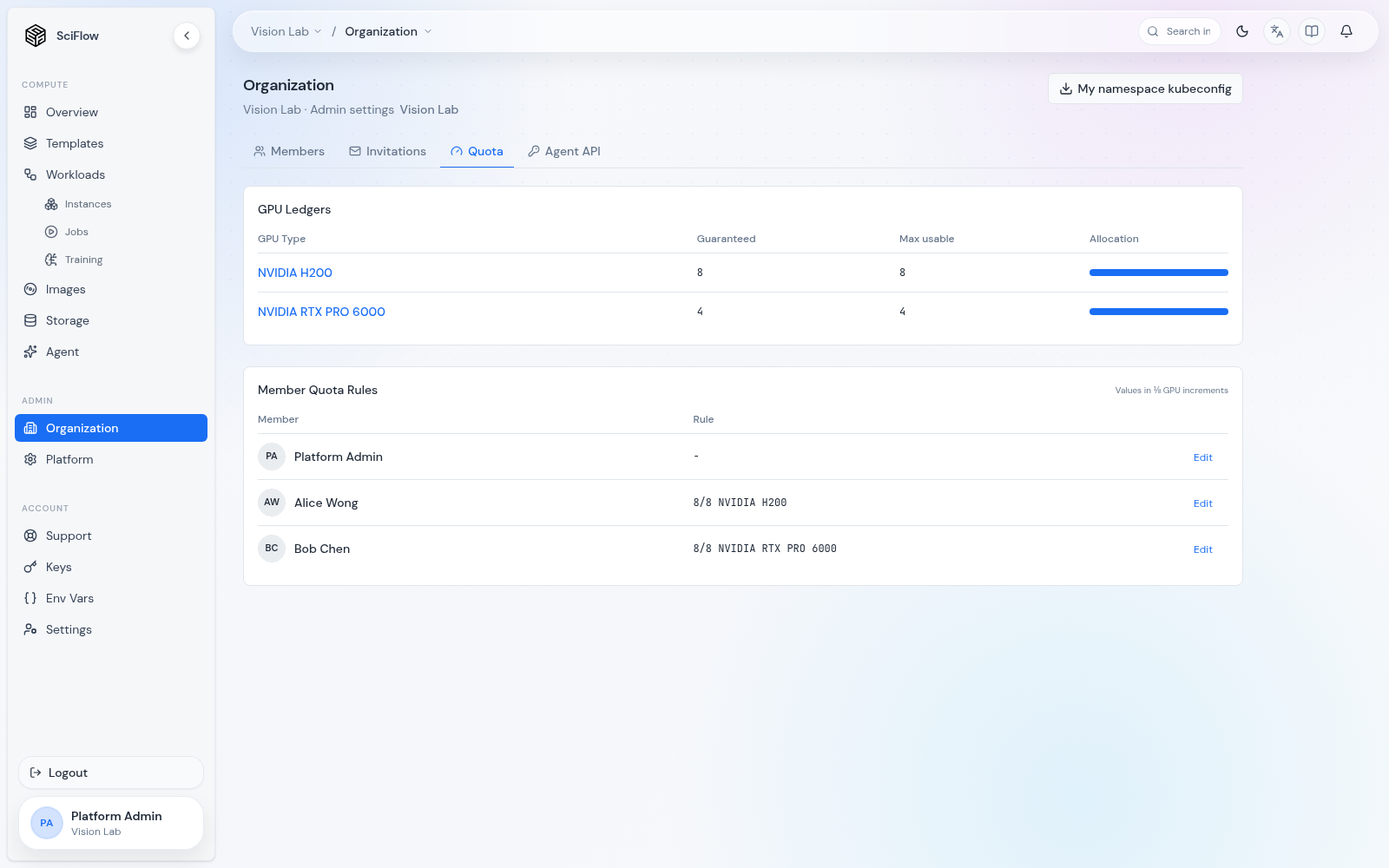
SciFlow organization quota configuration showing GPU ledgers and member quota rules
Org + member GPU quotas1/8 GPU granularityCPU · RAM · storage
Org administrators configure guaranteed and shared capacity by GPU type, then set clear member limits in one-eighth GPU increments.

Transparent quotas

Make fair access visible before the queue becomes social.

SciFlow turns lab policy into information researchers can act on: guaranteed and shared GPU capacity by type, member-level limits, fractional GPU allocation, and CPU, memory, and storage boundaries.

What this changes for labs

  • Researchers see their available allocation and the impact of a request before launch.
  • Org and member rules make scarce capacity predictable across projects instead of negotiated in chat.
  • When capacity is tight, transparent queue behavior preserves the request without hiding why it is waiting.

Where we are going

An agent should do more than chat about research.

To help run science, an agent needs governed access to compute, files, telemetry, and experimental state. SciFlow is building that operating layer.

Today

Infrastructure-aware assistance

The agent can inspect the lab’s live environment, reason over workspace context, and carry out platform work under your permissions and selected approval policy.

Direction

Longer, supervised research loops

The same foundation can support agents that coordinate environments, execution, monitoring, and analysis while scientists set intent and review evidence.

Hypothesis
Environment
Experiment
Evidence
Next question

Early access

Bring your lab’s next research loop onto SciFlow.

We’re working with academic teams running private GPU clusters. Tell us where infrastructure slows your science down.

Review capabilities